Order calculators with a bot and a CRM
Five calculators for five different businesses, each one working on its own page: options, quantities, add-ons and a total that updates on every click. A placed order shows the message for the staff Telegram bot and the row for the sheet. I built all five for this portfolio; the companies are made up.
-
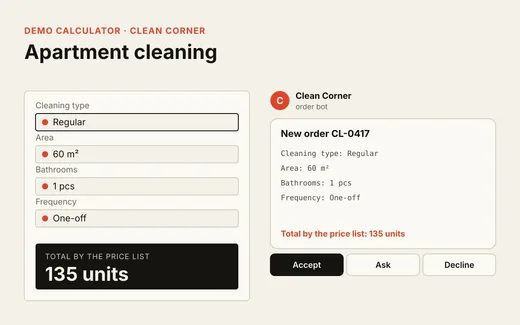 Services · area and urgency Apartment cleaning service
 -
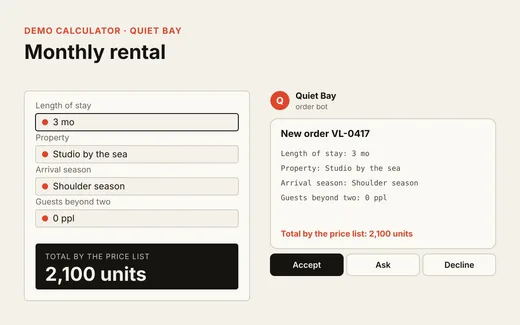 Rentals · price per month Seaside villa for a few months
 -
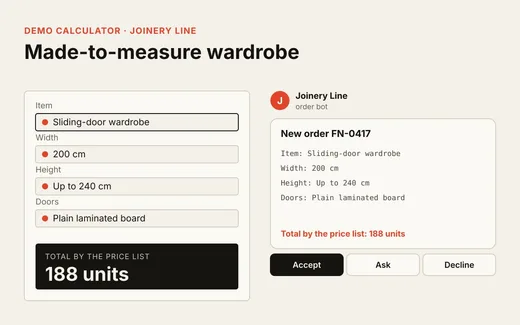 Manufacturing · size and finish Made-to-measure wardrobe
 -
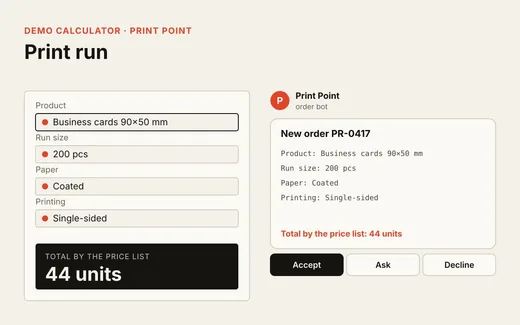 Printing · run and finishing Print shop: cards, flyers, posters
 -
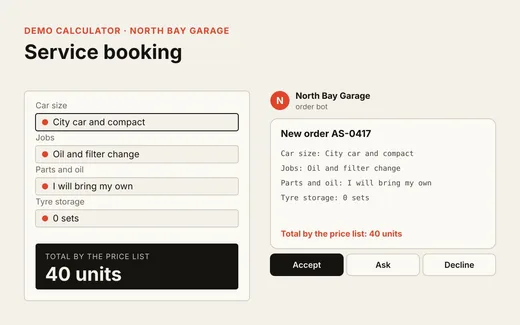 Service · set of jobs Car service booking
- Demos
- 5 calculators, original
- Chain
- Site → n8n → Telegram → sheet
- Staff bot
- Accept, Ask and Decline buttons
- Delivered as
- Calculator code and an n8n workflow
Every calculator shows the same mechanics on a different business. Open any of them, pick the options and place an order: below the calculator you get the message the staff bot would receive and the row that would land in the sheet. Nothing is sent.
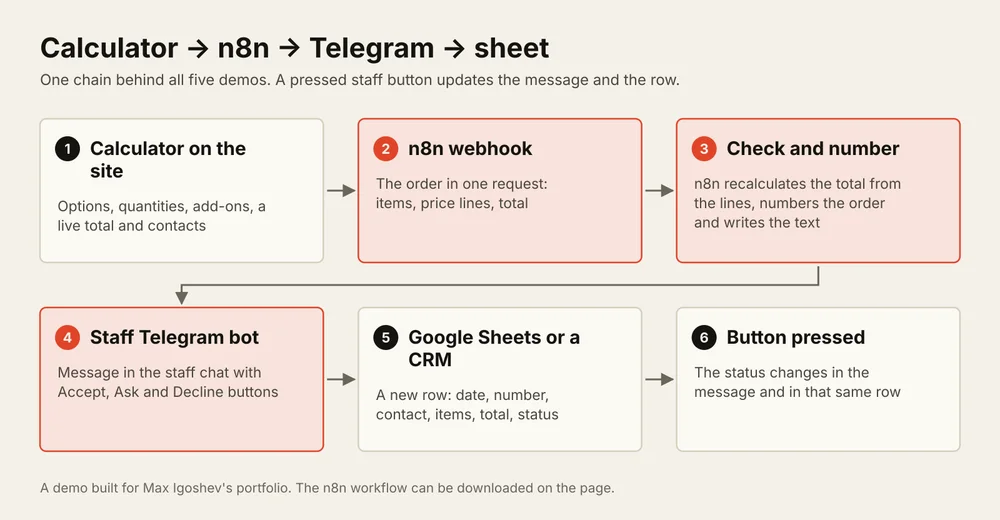
What all five share. The price list lives in the page settings, not in the code. An option adds an amount to the total, multiplies it by a factor, or is counted per unit, such as per month or per copy. The order goes to n8n in one request. n8n checks the total against the price lines, assigns an order number, posts a message with buttons to the staff chat and appends a row to Google Sheets. The button a staff member presses changes the status in the message and in the row.
What differs. Cleaning counts the area and urgency factors. The rental multiplies the property and the services by the number of months. The wardrobe is priced by width, height and the door finish. The print shop counts the run and the finishing per copy. The car service will not take an order until at least one job is picked, and it accounts for the size of the car.
Download the workflow. The n8n workflow with the same chain: webhook, message assembly, Telegram with buttons, Google Sheets and button handling. It imports through Import from File; the Telegram and Google credentials are connected after the import.
Instead of a sheet. The last node can be swapped for HubSpot, Pipedrive, Airtable or Notion, and the rest of the chain stays as it is. The calculator embeds into an existing site on WordPress, Webflow or Tilda, or runs as a page of its own.
How I work. You send the price list, the options and the staff who should receive orders. I build one calculator and the chain on your accounts, show it on test orders, then we tune it to your prices. Communication in writing.